
01
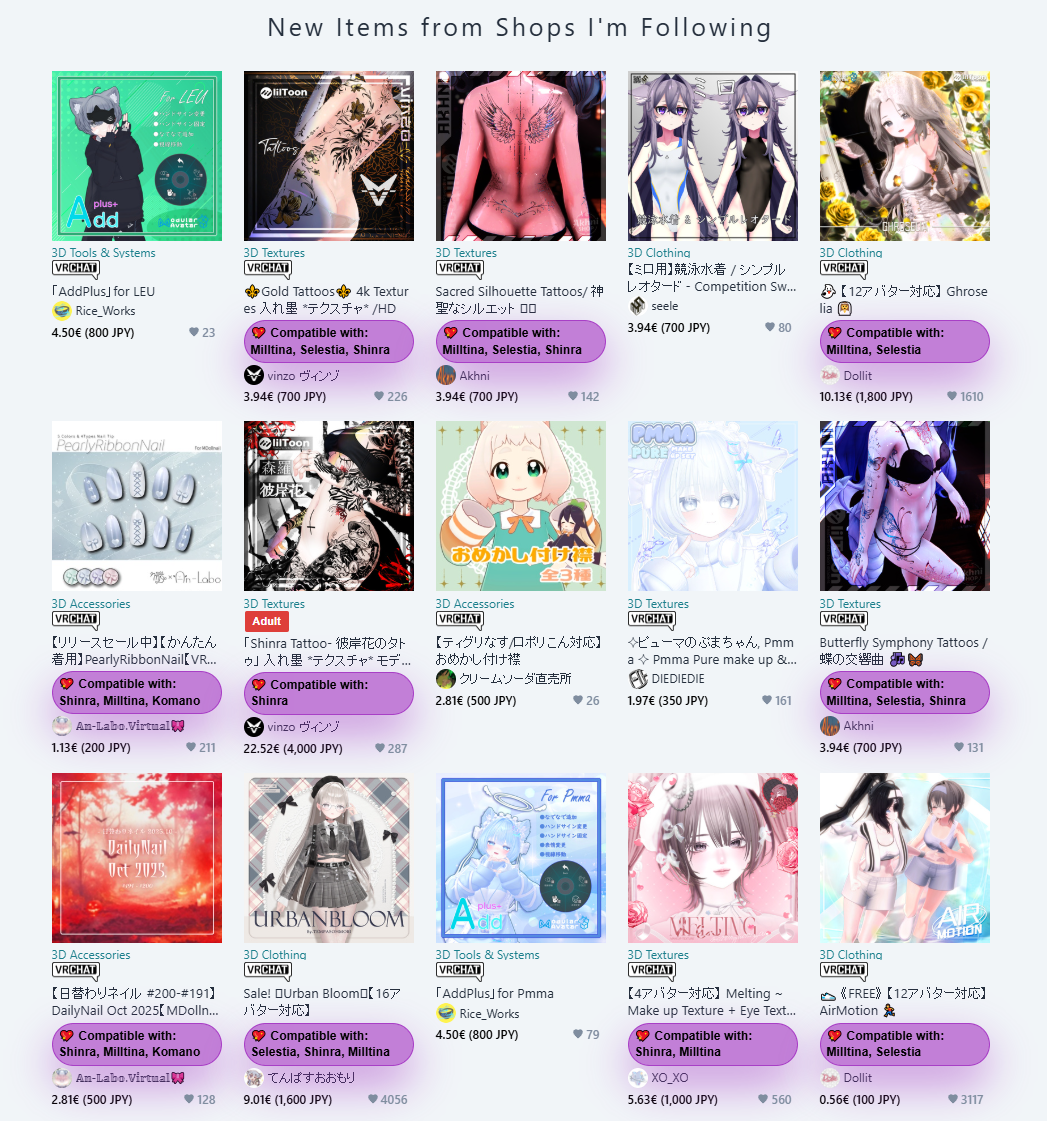
Every price, in your currency.
Convert products, options, carts, orders, and favorites without leaving BOOTH.
JPY→ EUR
JPY→ USD
JPY→ SEK
Currency conversion, compatibility checks, dependency detection, price tracking, and your searchable library, all layered directly onto BOOTH.pm.
Trusted by over 3000 users globally.
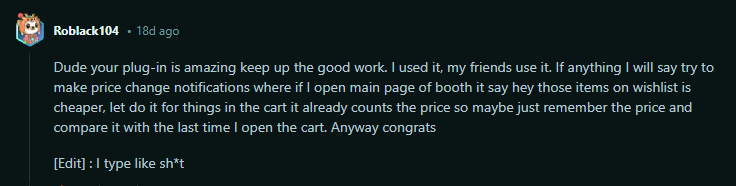
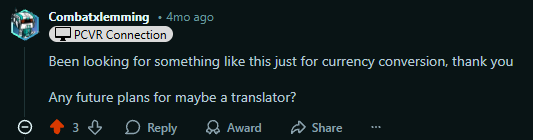
Community proof
Real feedback from people using Booth Companion in their everyday BOOTH workflow.











01 / The toolkit
Everything in Booth-Companion comes directly from the in-browser experience the extension provides on Booth.pm.
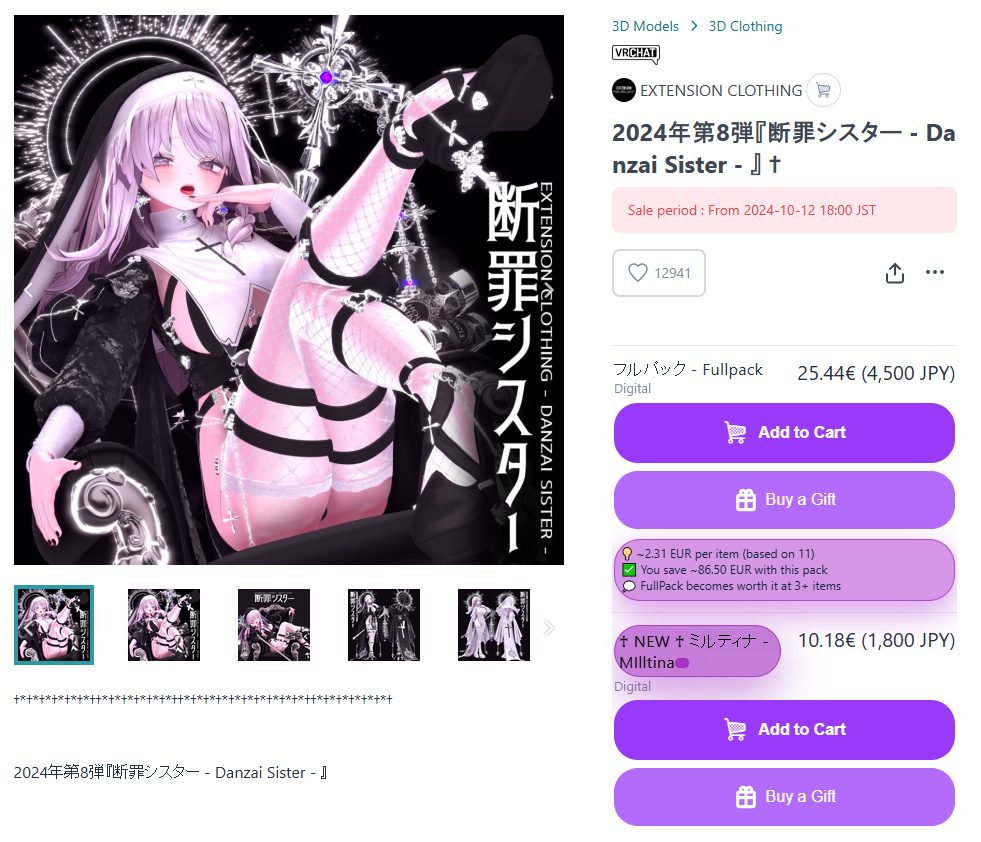
Convert products, options, carts, orders, and favorites without leaving BOOTH.
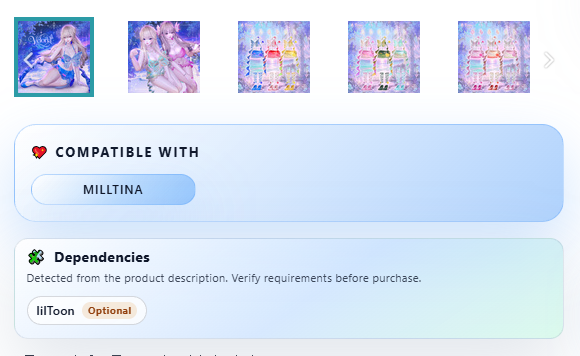
Fetch avatar compatibility data, open the floating filter panel, and spotlight items that match your saved avatars.

Spot required or optional VRChat tools and shaders before you buy.
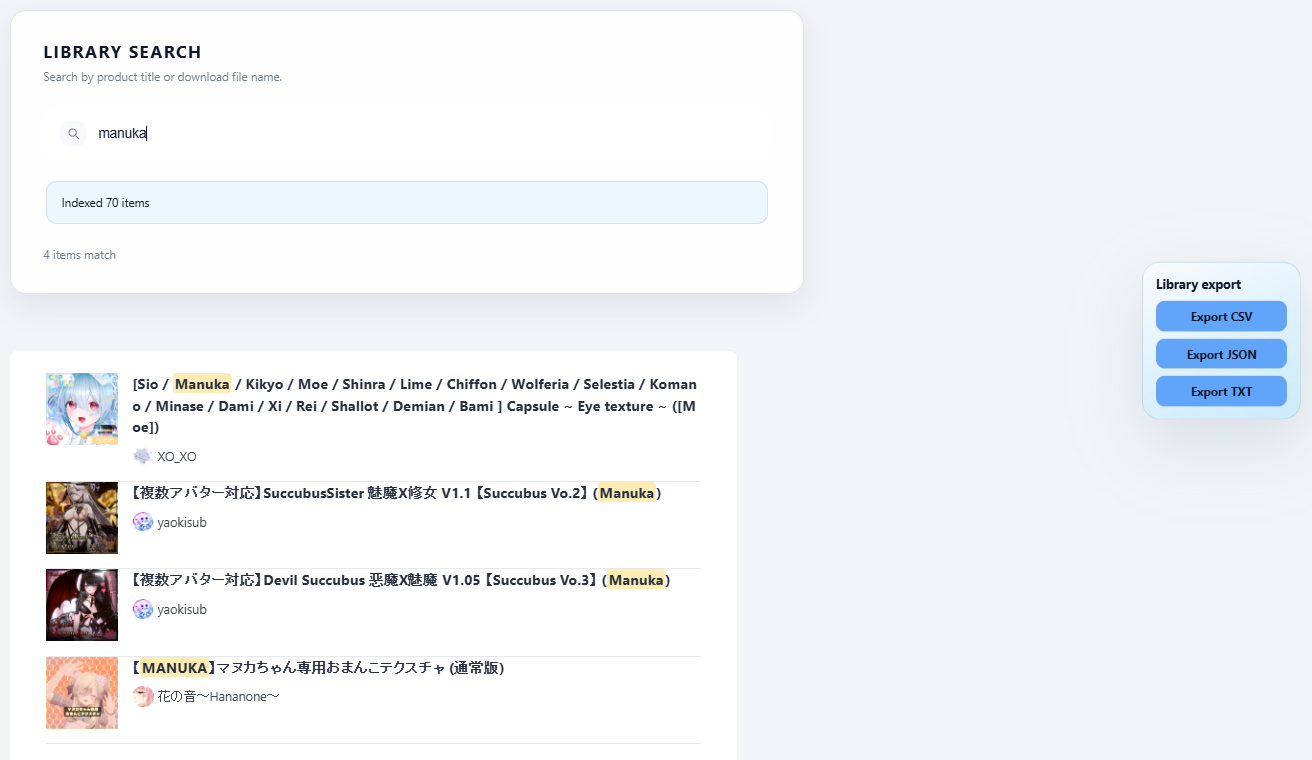
Search purchases, gifts, and wishlists, then export your library as CSV, JSON, or TXT.
02 / The real interface
Actual Booth Companion screens, not concept art. Pick a feature to see how it fits into the pages and controls you already use.
03 / In your flow
Useful context appears where the decision happens: on the listing, product, cart, wishlist, and library pages you already use.
Filter favorite shops, highlight free items, and keep scrolling.
See avatar matches, dependencies, bundles, and converted prices.
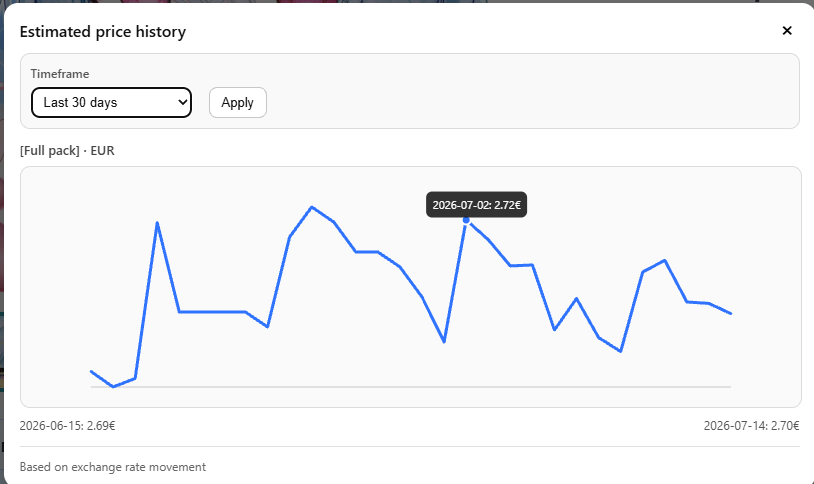
Track price drops or increases from products, carts, and wishlists.
Mark owned or gifted items and search the library later.
04 / Small tools, big difference
Everything you can enable in Booth-Companion, straight from the extension’s live feature set.
Convert products, options, carts, orders, and favorites without leaving BOOTH.
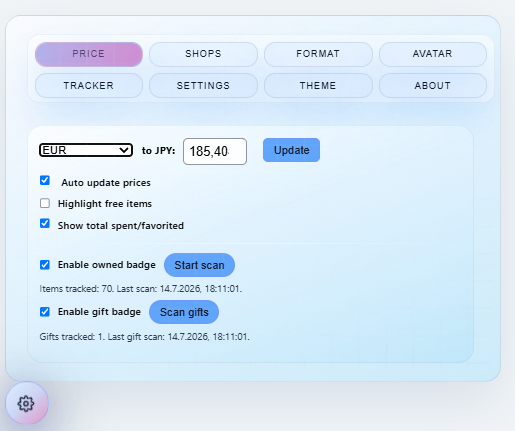
Use twice-daily rates or a manual override, with flexible symbols and number formats.
Import cart or wish-list items, catch rises and drops, and choose local checks or Discord alerts.
See 7, 30, 90-day or custom charts for exchange-rate impact.
Find purchases and gifts by title, file, or option, then filter your wish list by price.
Export every page as CSV, JSON, or TXT, including files and download links.
Scan once to mark purchased and gifted items, with quick links to their details.
Put prices, shops, options, descriptions, bundles, and avatar support side by side.
See when a FullPack wins, including the value of items you already own.
See total spending and the combined value of your favorited products.
Spot required, optional, and mentioned VRChat tools with official links.
Use aliases, compatibility counts, and filters to find items made for your bases.
Highlight and filter favorite creators, or hide shops you would rather skip.
Highlight ¥0 products so useful freebies are easy to spot.
Browse search results continuously without paging back and forth.
Use presets or fine-tune colors, glass effects, popups, and shareable theme codes.
Export all settings as JSON and restore your setup later.
Translate Booth Companion and selected BOOTH controls into your preferred language.
Reduce unnecessary analytics and third-party requests for smoother BOOTH pages.
Local prices, global community
Choose from 21 conversion currencies and see their values beside Booth.pm’s native JPY prices.
05 / Privacy without the fine-print vibe
All extension settings, shop preferences, avatar aliases, tracker data, and scan results stay in your browser. Online requests are limited to temporary exchange-rate or public item-metadata lookups. Booth Companion does not collect your user data.
Ready when you are
The extension ships on Chrome Web Store, Microsoft Edge Add-ons, Firefox Add-ons, and Firefox for Android so every Booth shopper can install with a click.
FAQ
Rates refresh twice per day. Leave automatic updates enabled to keep the converted prices aligned with the latest values.
Chrome, Chromium variants such as Brave or Vivaldi, Microsoft Edge, Mozilla Firefox, Waterfox, and Firefox for Android all support Booth-Companion.
Yes. Use the Format tab to pick symbol placement and number punctuation styles that match your region.
No. Booth-Companion is an independent helper and is not officially connected to Booth.pm or pixiv Inc.